3CX, Teams Phone or Webex Calling: how to choose your business telephony
A comparison of 3CX, Teams Phone and Cisco Webex Calling: strengths, hosting, integrations and company profiles to help you choose the right telephony.
Changing your business telephony is a commitment for several years. Of the solutions we deploy, three come up most often in discussions: 3CX, Microsoft Teams Phone and Cisco Webex Calling. All three are reliable and comprehensive. So the right question is not “which is the best?” but “which one fits your organisation?”.
The three solutions at a glance
3CX: the independent VoIP platform
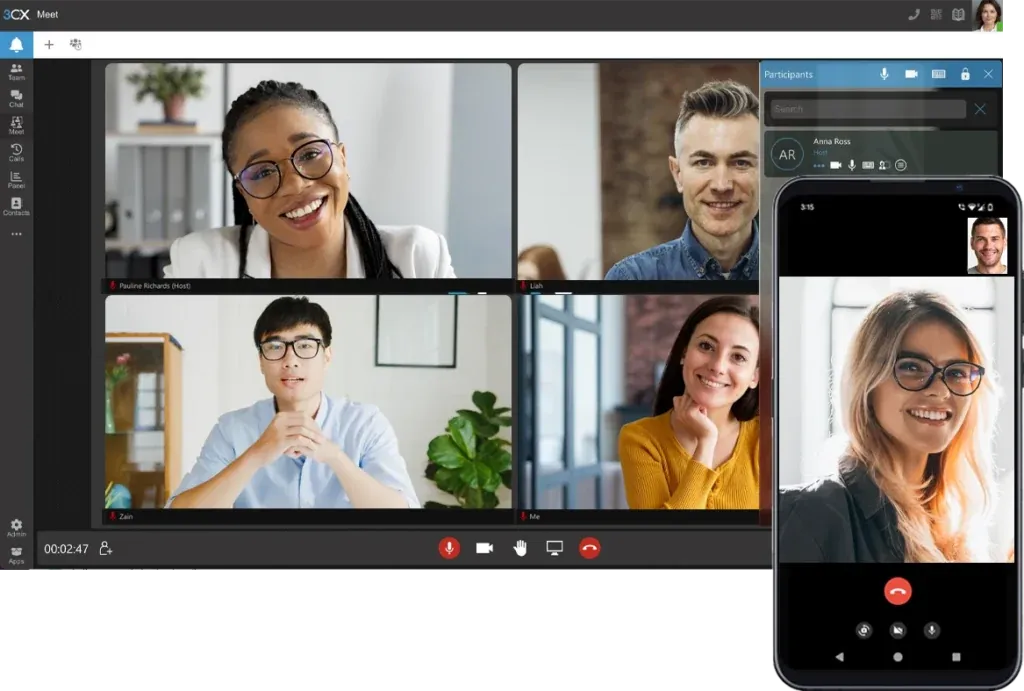
3CX is a complete IP phone system: auto attendant, call queues, video conferencing, chat and mobile apps. It can be installed on your servers, in your private cloud or hosted by a provider. Its strength: freedom of deployment and numerous CRM integrations.
Microsoft Teams Phone: telephony in Teams
Teams Phone adds external calling to Microsoft Teams. Your staff make calls from the tool they already use for meetings and messages. Its strength: integration with Microsoft 365 and very rapid adoption.
Cisco Webex Calling: the Cisco cloud
Webex Calling is Cisco's cloud telephony, combined with Webex video conferencing. Its strength: advanced customer relationship features (skills-based routing, monitoring, conversation analytics) and the Cisco device ecosystem.
The comparison
| Criterion | 3CX | Teams Phone | Webex Calling |
|---|---|---|---|
| Hosting | On premises, private cloud or hosted | Microsoft cloud | Cisco cloud |
| User interface | 3CX apps (web, desktop, mobile) | Teams app | Webex app |
| Strengths | Flexibility, CRM integrations, control of the infrastructure | Microsoft 365 integration, rapid adoption | Customer relationship, Cisco devices, AI analytics |
| Ideal for | SMEs and organisations that want to stay in control | Companies already on Microsoft 365 | Companies with Cisco equipment, contact centres |
| Contact centre | Built-in call queues | Via modules (Luware Nimbus, Anywhere365) | Built-in advanced features |
5 questions to ask yourself
1. Do your teams live in Microsoft 365?
If Teams is already your company's central tool, Teams Phone is often the most natural choice: no new app to learn, one interface for everything. For a demanding reception or customer service operation, it can be complemented with a module such as Luware Nimbus.
2. Do you want to host the solution yourself?
If you want to keep your data and infrastructure under your control, 3CX is the only one of the three that can run entirely on your own servers. MLS Communications can also host it for you in Switzerland.
3. How important is customer relationship management?
A contact centre with skills-based routing, monitoring and detailed statistics points more towards Webex Calling, or towards Teams complemented by a specialised module.
4. What equipment do you already have?
Desk phones, headsets, meeting rooms: your current equipment can tip the balance. A Cisco estate naturally gets the most value with Webex. With 3CX, many SIP phones on the market remain usable.
5. Who will administer the solution?
Does your IT team want to manage telephony day to day, or would you rather entrust it to a provider? All three solutions suit both models, but the level of skill required is not the same. Our support services help you find the right balance.
What about other solutions?
This comparison does not cover everything. For ready-to-use cloud telephony, MYUC and 2SC Swyx Swiss Cloud are also excellent options. To run several systems side by side, a session border controller such as AudioCodes Virtual SBC provides the link.
Our advice
Start from how you work, not from the technology. List your call scenarios, business tools and hosting constraints: the right solution will quickly become clear. At MLS Communications, we deploy all these platforms and remain neutral in our recommendations.
Unsure which solution to choose? Book a demo: we compare them with you, using your own use cases.